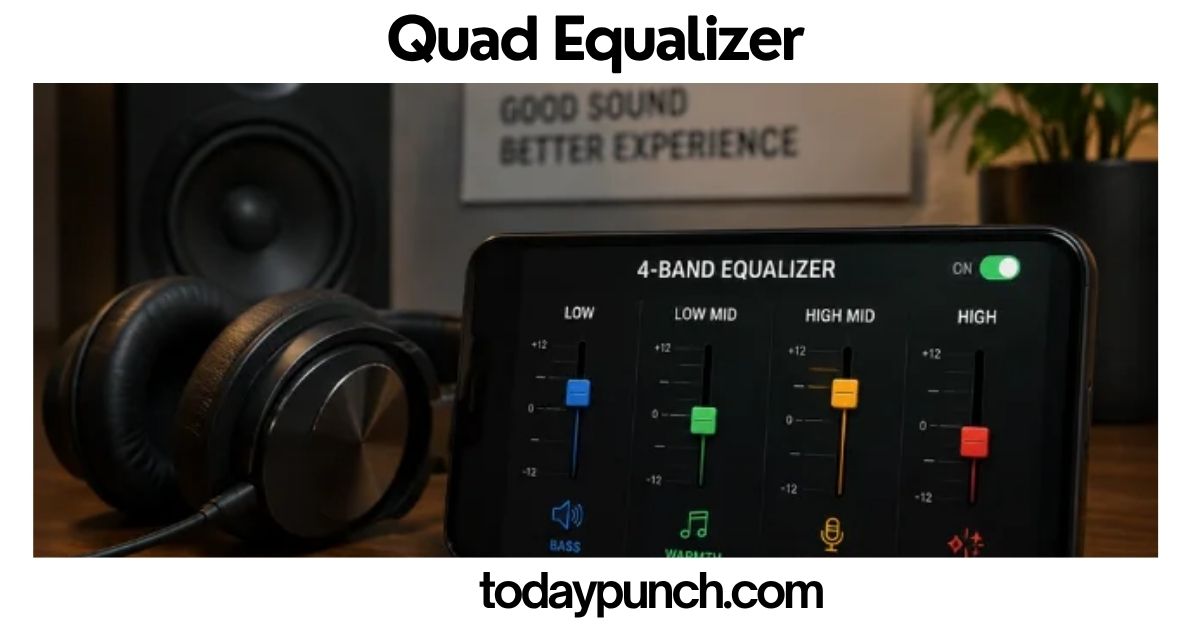
Quad Equalizer: Complete Guide to 4-Channel EQ, Uses & Settings
A quad equalizer brings four independent audio channels under one control system, making it easier to shape sound, reduce unwanted frequencies, and create a cleaner overall mix. It can be useful in recording studios, live sound setups, home audio systems, broadcasting, and other professional environments where different signals need different EQ treatment. Depending on the equipment, a quad equalizer may offer graphic sliders, parametric controls, filters, channel linking, and other tools for precise sound adjustment.
What Is a Quad Equalizer?
A quad equalizer is an audio or electronic equalization system designed to work across four independent channels or four controlled sections of a signal path. In audio, the term usually refers to a four-channel equalizer that allows a user to shape the tonal balance of several signals at the same time. Depending on the equipment, each channel may have graphic EQ controls, parametric controls, filters, or other signal-processing features.
The phrase “quad equalizer” can also have a second meaning in electronics. In high-speed digital systems, a quad equalizer can mean an integrated circuit containing four equalization channels. These devices compensate for signal loss and distortion in high-speed connections such as PCI Express, backplanes, cables, and printed-circuit-board traces. For example, Texas Instruments describes its DS32EV400 as a programmable quad equalizer with four NRZ data channels, while Analog Devices has produced quad equalizer and redriver devices for PCIe and other high-speed interfaces.
For most people searching for a quad equalizer, however, the audio meaning is the most useful starting point. A four-channel EQ can be helpful in live sound, recording studios, installations, broadcasting, home audio, and older quadraphonic systems.
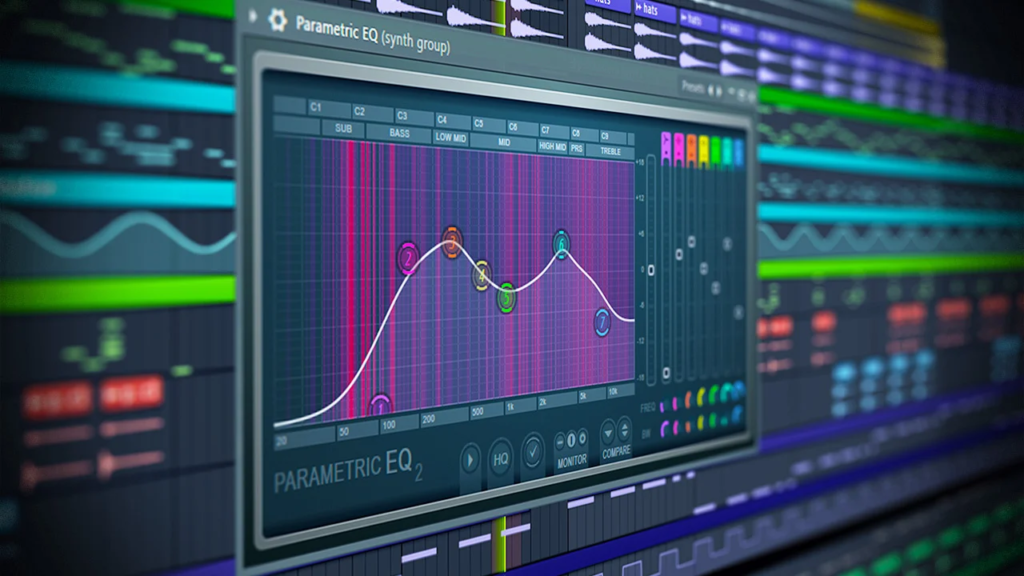
The important point is that “quad” describes the number of channels or processing paths. It does not automatically describe the number of frequency bands inside each channel. A four-channel equalizer might contain four simple EQ sections, four 4-band parametric EQs, or four highly detailed 30-band graphic EQs.
That distinction helps prevent one of the most common misunderstandings about the term.
How Does a Quad Equalizer Work?
A quad equalizer works by changing the level of selected frequency ranges within four separate signal paths.
Audio contains many frequencies at the same time. Low frequencies create much of the bass and warmth, middle frequencies influence body and intelligibility, and higher frequencies contribute brightness, detail, and air. An equalizer lets the user reduce or increase selected portions of this frequency range.
Yamaha describes equalization as a method of changing the tonal balance of an audio signal. EQ can be used to remove unwanted information by cutting frequencies or to emphasize selected frequencies by boosting them.
Imagine a four-channel system with these signals:
- Microphone 1
- Microphone 2
- Guitar
- Keyboard
A quad equalizer can process each signal independently. You might reduce unwanted low-frequency noise on the microphones, remove harshness from the guitar, and slightly increase high-frequency detail on the keyboard.
This is more flexible than using one EQ for the entire system because every channel can receive its own treatment.
The signal path can be simplified like this:
Source 1 → EQ Channel 1 → Output 1
Source 2 → EQ Channel 2 → Output 2
Source 3 → EQ Channel 3 → Output 3
Source 4 → EQ Channel 4 → Output 4
Some quad EQ products can also link channels. For example, a stereo pair can be linked so that changes made to one channel are reflected in the other. Older professional equipment such as the Mackie Quad-EQ provided four channels of 30-band graphic Adaptive-Q equalization and allowed stereo linking of channel pairs.
Also Read: Charfen.co.uk: A Complete Guide
Quad Equalizer vs. Four-Band Equalizer
These two terms sound similar, but they describe different things.
A four-band equalizer has four adjustable frequency sections. A quad equalizer normally means four channels or four processing paths.
For example, a device could have:
Four channels × four EQ bands per channel
That would be a quad equalizer with four bands on each channel.
Another device could have:
Four channels × 30 EQ bands per channel
That is still a quad equalizer, but it provides much finer frequency control.
Yamaha notes that parametric equalizers can be built with different numbers of bands, including four-band arrangements that divide controls into low, low-mid, high-mid, and high sections.
Therefore, when shopping for or researching a quad equalizer, always check both the number of channels and the number and type of frequency bands.
Main Types of Quad Equalizers
Not every quad equalizer is built for the same job. Understanding the different designs makes it easier to choose the right type.
Quad Graphic Equalizer
A quad graphic equalizer provides multiple fixed frequency bands for each of its four channels. Each band is usually controlled with a slider.
Graphic EQ is popular in live sound because the settings are easy to see. A row of sliders provides a visual representation of the EQ curve.
Professional models may provide 15, 31, or more bands per channel. The Mackie Quad-EQ, for example, was designed with four 30-band graphic EQ channels and included features such as a real-time analyzer and pink-noise generator.
Graphic EQ is particularly useful when you need predictable, repeatable adjustments.
Quad Parametric Equalizer
A quad parametric equalizer provides four independent EQ processing paths, with adjustable frequency, gain, and bandwidth or Q.
This design offers much more precision than a basic graphic EQ.
With parametric EQ, you can select a specific frequency, decide how much to boost or cut it, and control how wide the adjustment should be.
Yamaha explains that a parametric equalizer allows control over frequency, gain, and Q. A higher Q produces a narrower adjustment, while a lower Q affects a broader frequency range.
This makes a quad parametric EQ useful when each channel has a different problem.
Quad Digital Equalizer
A digital quad equalizer converts incoming audio into digital data, applies EQ processing through digital signal processing, and then sends the processed signal onward.
Digital EQ can offer features that are difficult or expensive to provide in traditional analog hardware.
These may include:
- Preset storage
- Recallable settings
- Real-time analysis
- Automatic or assisted EQ
- Stereo linking
- Multiple filter types
- Digital displays
- Software control
- Signal routing
- Delay and additional processing
The exact features depend on the product.
Quadraphonic Equalizer
A quadraphonic equalizer is related to four-channel surround or quadraphonic audio systems.
Quadraphonic sound was an early form of multichannel audio in which four speakers were commonly arranged around the listener. Vintage audio enthusiasts sometimes use multiple stereo equalizers or specialized equipment to adjust front and rear channels.
Historical discussions among quadraphonic-audio enthusiasts describe setups using pairs of stereo equalizers to process four-channel systems. Some vintage equipment also offered specialized four-channel control arrangements.
A quadraphonic equalizer should therefore not automatically be confused with every modern four-channel EQ.
What Does EQ Actually Change?
One of the biggest misconceptions about equalization is that boosting a frequency creates new frequencies.
It does not.
If an audio signal already contains energy around 100 Hz and you boost 100 Hz, the equalizer increases the level of that existing frequency range. It does not manufacture a completely new 100 Hz tone.
Yamaha makes the same distinction in its explanation of EQ: boosting a frequency amplifies that part of the existing signal rather than adding a new frequency to the recording.
This matters because aggressive EQ cannot fix every audio problem.
If a microphone was poorly placed, the room has severe reflections, the speaker is damaged, or the recording contains distortion, EQ may improve the result but cannot completely repair the underlying problem.
Good equalization starts with a good signal.
Important Quad Equalizer Controls
A quad equalizer may contain many controls, but several are common across professional equipment.
Frequency
Frequency determines where the EQ adjustment occurs.
It is normally measured in Hertz, or Hz.
Lower frequencies generally correspond to bass, while higher frequencies correspond to treble.
For example:
- 50 Hz is very low bass
- 100 Hz is low-frequency bass
- 250 Hz is low-midrange
- 1 kHz is midrange
- 2–4 kHz is important for presence and intelligibility
- 8–12 kHz contributes brightness and detail
These ranges are general guides, not universal rules.
Gain
Gain determines how much a frequency range is boosted or reduced.
Positive gain increases the selected range.
Negative gain decreases it.
For example, a setting of -3 dB around 250 Hz makes that frequency region quieter relative to the rest of the signal.
Q or Bandwidth
Q determines how wide the EQ adjustment is.
A high Q produces a narrow adjustment.
A low Q produces a wider adjustment.
A narrow Q can be useful for removing a specific resonant frequency. A wider Q is often better for broad tonal changes.
Shure’s documentation for a four-band parametric equalizer similarly identifies frequency, gain/cut, and bandwidth/Q as core EQ parameters.
High-Pass Filter
A high-pass filter reduces frequencies below a selected cutoff point while allowing higher frequencies to pass.
This can be useful for reducing rumble, handling noise, stage vibration, and unwanted low-frequency energy.
Yamaha explains that high-pass filters are useful for reducing low-frequency problems such as unwanted microphone noise and other low-range sounds.
Low-Pass Filter
A low-pass filter does the opposite. It reduces frequencies above the selected cutoff point.
It can be useful for removing excessive high-frequency noise or limiting the bandwidth of a signal.
Shelf Filters
Shelf filters affect a broad range of frequencies.
A low-shelf filter changes frequencies below a selected point.
A high-shelf filter changes frequencies above a selected point.
Some four-band parametric designs use shelving filters at the top and bottom while using peaking filters in the middle. Shure documents this arrangement in its four-band parametric equalizer implementation.
Why Would You Need a Quad Equalizer?
The biggest advantage of a quad equalizer is independent control.
Suppose you have four microphones. Each microphone may sound different because of the performer, microphone position, microphone model, room reflections, or proximity effect.
Using one EQ for all four signals could create compromises.
With four independent EQ channels, each source can be adjusted separately.
This is especially useful for:
- Live performances
- Houses of worship
- Conference rooms
- Theaters
- Recording studios
- Broadcast systems
- Podcast production
- Installed audio
- Multichannel playback
- Vintage quadraphonic systems
- Sound reinforcement
A quad equalizer can also reduce equipment clutter. Instead of using four separate stereo or mono EQ units, a single rack unit can contain multiple processing channels.
Quad Equalizer for Live Sound
Live sound is one of the most practical applications for a four-channel EQ.
A typical small event might involve several microphones and instruments. Each source has different frequency requirements.
For example, a vocal microphone may sound muddy in the low-midrange. A guitar might need slightly less bass. A keyboard may need a small reduction in harsh upper-mid frequencies.
A quad EQ can address these problems independently.
The key is to make small changes.
Large boosts often create more problems than they solve. Cutting an unwanted frequency can sometimes produce a more natural result than boosting everything else.
Shure explains that equalization can improve naturalness and intelligibility in sound reinforcement and can also help reduce feedback by cutting the frequencies where feedback occurs.
However, EQ should not be treated as a substitute for proper microphone placement, speaker positioning, gain structure, and room design.
Quad Equalizer for Recording Studios
In recording, a quad equalizer can be useful when multiple tracks require individual tonal shaping.
Imagine recording four microphones at the same time.
The engineer might use one channel for vocals, one for acoustic guitar, one for percussion, and one for an additional instrument.
Each channel can be shaped independently.
The goal is not simply to make every track sound impressive when soloed. The goal is to make the tracks work together.
This leads to an important principle:
A track that sounds slightly less exciting by itself may sound much better inside the complete mix.
For example, reducing low-mid buildup on several tracks can create more space for vocals and bass without needing to increase overall volume.
Quad Equalizer for Home Audio
Home users may encounter four-channel EQ in specialized systems rather than ordinary consumer stereos.
A traditional stereo setup normally requires two main channels: left and right.
A four-channel system may be used for more complex speaker arrangements, distributed audio, multichannel playback, or vintage quadraphonic equipment.
For a normal two-channel home system, a four-channel EQ is not automatically better than a good stereo EQ.
The additional channels only provide value when the system actually needs them.
This is an important purchasing lesson: more channels do not automatically mean better sound.
Quad Equalizer and Quadraphonic Audio
Quadraphonic audio is an interesting historical reason the term “quad” appears in audio discussions.
Quadraphonic systems attempted to create a four-channel listening experience using speakers placed around the listener.
Different formats were developed, including systems associated with companies such as Sansui, JVC, Columbia, and others.
Vintage enthusiasts still restore and use some of this equipment.
In these systems, EQ can become especially important because the listener may want to balance front and rear channels independently.
Historical quadraphonic equipment discussions show that enthusiasts have used pairs of stereo equalizers to process four-channel systems, while specialized equipment also existed.
Modern surround sound has evolved far beyond traditional quadraphonic systems, but the basic idea of independently controlling multiple channels remains relevant.
Quad Equalizer in Electronic Engineering
The term has a completely different meaning in high-speed electronics.
In this context, a quad equalizer is usually a chip containing four equalization channels.
These circuits do not shape music.
Also Read:Pulsamento: Meaning, Origins, Uses, and Why Rhythmic Pulsation Matters
Instead, they help restore the integrity of high-speed digital signals that become degraded while traveling through cables, connectors, and PCB traces.
At high data rates, transmission channels can attenuate high-frequency components and introduce inter-symbol interference, jitter, and other signal-quality problems.
An equalizer compensates for some of these losses.
For example, Texas Instruments’ DS32EV400 provides four programmable equalization channels for NRZ data and is designed to compensate for transmission-medium loss at data rates up to 3.2 Gbps.
Analog Devices also offers quad equalizer and redriver technologies for applications such as PCIe. Its MAX14950, for example, contains four channels and supports PCIe Gen I, Gen II, and Gen III data rates, with programmable input equalization and output deemphasis.
This is why context matters when researching the term.
A person shopping for audio equipment and an engineer searching for a quad equalizer IC may be looking for two entirely different technologies.
Audio Quad Equalizer vs. Electronic Quad Equalizer
The simplest way to understand the difference is to look at the purpose.
| Feature | Audio Quad Equalizer | Electronic Quad Equalizer |
| Main purpose | Shape audio tone | Restore high-speed signal quality |
| Typical channels | Four audio channels | Four data lanes |
| Frequency focus | Audible spectrum | High-speed electrical signaling |
| Main users | Musicians, engineers, broadcasters | Hardware and electrical engineers |
| Typical controls | Frequency, gain, Q, filters | Equalization levels, signal detection, configuration |
| Common applications | Music and sound systems | PCIe, backplanes, cables, high-speed boards |
Both technologies use the basic idea of compensation, but they solve very different problems.
How to Set Up a Quad Equalizer
Setting up a quad equalizer is straightforward if you approach it methodically.
First, identify the four signal sources.
Next, determine where the EQ should sit in the signal chain.
For a typical audio system, the general path may look like:
Microphone or instrument → mixer/interface → quad equalizer → amplifier or recording system
The exact arrangement depends on the equipment.
Once connected, begin with the EQ flat.
This means all bands are at their neutral position.
Listen carefully before making changes.
Then identify the actual problem.
Do not adjust every frequency simply because the controls are available.
If one channel sounds muddy, find the frequency region responsible and make a small cut.
If another channel sounds dull, a small high-frequency adjustment may help.
After making changes, compare the processed sound with the original.
The bypass function is particularly useful because it helps you determine whether the adjustment actually improved the signal.
Best Quad Equalizer Settings for Beginners
There is no universal “best” EQ setting.
A setting that works beautifully for one voice may sound terrible on another voice.
The same is true for instruments and rooms.
Still, beginners can follow a few useful principles.
Start flat.
Make small adjustments.
Cut before boosting when practical.
Use a narrow Q when targeting a specific problem.
Use a broader Q for general tonal changes.
Always compare the processed signal with the bypassed signal.
Avoid making decisions only because the EQ curve looks attractive.
The listener hears the sound, not the graph.
Example Quad Equalizer Settings for Vocals
A vocal microphone can sometimes contain unnecessary low-frequency energy caused by handling noise, proximity effect, air conditioning, or stage vibration.
A high-pass filter may help remove some of this unwanted material.
If the voice sounds muddy, a modest reduction in the low-midrange may help.
If intelligibility is weak, a small adjustment in the presence region may improve clarity.
If the sound becomes harsh, reduce the problematic region rather than continuing to boost other frequencies.
There is no single vocal preset that works everywhere because the singer, microphone, room, PA system, and performance style all affect the result.
Example Quad Equalizer Settings for Guitar
Acoustic and electric guitars can occupy a wide part of the frequency spectrum.
Too much low-mid energy can make a guitar sound thick or muddy.
Too much upper-mid energy can make it sound aggressive.
Too much high-frequency boost can emphasize pick noise and hiss.
A quad equalizer lets you treat multiple guitar channels separately when several guitars are being recorded or performed.
The best approach is to listen to the guitar in the context of the entire mix rather than soloing it for every decision.
Example Quad Equalizer Settings for Speech
Speech needs clarity more than exaggerated bass or treble.
Low-frequency rumble can reduce clarity.
Excessive low-midrange can make speech sound muddy.
Too much upper-midrange can make speech harsh.
A carefully selected high-pass filter and modest tonal adjustments can often improve intelligibility.
Shure notes that EQ can improve speech intelligibility and help manage feedback, but also stresses that feedback and sound-system performance depend on factors such as microphone placement, loudspeaker placement, room acoustics, and system design.
How to Use a Quad Equalizer to Reduce Feedback
Feedback happens when amplified sound from a loudspeaker enters a microphone and is amplified again.
This creates the familiar ringing or squealing sound.
EQ can help by reducing the frequency where feedback is occurring.
However, EQ should be one part of a larger solution.
If the microphone is directly in front of a speaker, simply cutting more and more frequencies is not a good long-term strategy.
Better solutions may include moving the microphone, changing speaker placement, reducing unnecessary open microphones, improving microphone technique, and adjusting gain.
Shure specifically warns that an equalizer cannot make a poorly designed sound reinforcement system work properly.
Graphic EQ or Parametric EQ: Which Is Better?
Neither is automatically better.
A graphic EQ is usually easier to understand because the fixed bands are displayed as sliders.
A parametric EQ provides more precision because you can select the frequency and bandwidth.
For beginners and quick live adjustments, graphic EQ can be very practical.
For detailed studio work, problem solving, and precise tonal shaping, parametric EQ is often more flexible.
A quad equalizer can use either approach.
Your choice should depend on the application rather than the number of controls.
Why Cutting Can Be Better Than Boosting
One of the most useful EQ lessons is that cutting unwanted frequencies can often sound more natural than boosting everything else.
Suppose a vocal sounds muddy.
You could boost the high frequencies to make it seem brighter.
But you might get a better result by slightly reducing the muddy low-midrange area.
This can create the perception of greater clarity without dramatically increasing the overall energy of the track.
Yamaha’s practical EQ guidance emphasizes both boosting and cutting as fundamental EQ techniques and recommends using EQ to improve the way individual sounds fit together.
Common Quad Equalizer Mistakes
Making Extreme Boosts
Large boosts can increase noise, reduce headroom, and create an unnatural sound.
Changing Too Many Bands
If you change every control, you may not know which adjustment actually helped.
Ignoring the Room
Room acoustics can have a major effect on perceived sound.
Using the Same EQ on Every Channel
Four independent channels exist so that different sources can receive different treatment.
Forgetting Gain Structure
EQ changes can affect signal levels. A large boost may push equipment closer to clipping.
Trusting the Visual Curve Too Much
A beautiful EQ curve does not necessarily sound good.
Solving Placement Problems With EQ
EQ cannot fully compensate for a microphone that is poorly positioned or a speaker that is badly placed.
Quad Equalizer and Real-Time Analysis
Some professional quad EQ systems include real-time analyzers, often called RTAs.
An RTA displays information about the frequency content of a signal.
This can help engineers identify strong frequency peaks, room problems, and general tonal balance.
The Mackie Quad-EQ included an RTA and pink-noise generator, showing how professional four-channel EQ systems have historically combined equalization with measurement tools.
However, measurement should support listening rather than replace it.
A microphone measures sound pressure at a particular location. A human listener experiences the entire system, including room reflections and psychoacoustic effects.
The best results usually come from combining measurement with careful listening.
Quad Equalizer and Pink Noise
Pink noise contains energy across a broad range of frequencies with a distribution commonly used in audio testing and system tuning.
Some professional EQ systems include pink-noise generators for measurement and calibration.
The basic process may involve playing test noise through the system, measuring the result, and adjusting the EQ to reduce major irregularities.
This can be useful in professional sound reinforcement.
It is not, however, a reason to randomly flatten every measurement.
A perfectly flat measurement at one position does not necessarily produce the best experience across an entire room.
Is a Quad Equalizer Still Relevant Today?
Yes, but its role has changed.
Modern digital mixers, audio interfaces, speaker processors, software plugins, and digital signal processors often contain sophisticated EQ capabilities.
As a result, a separate hardware quad equalizer is less necessary for many small setups.
However, dedicated hardware still has advantages in some professional environments.
A dedicated unit can provide:
- Predictable signal routing
- Physical controls
- Easy visual monitoring
- Dedicated processing
- Reliable recall
- Integration with existing racks
- Specialized measurement functions
Vintage quadraphonic systems also keep four-channel EQ relevant for restoration and enthusiast applications.
At the same time, the electronic meaning of quad equalizer remains important in modern high-speed hardware. Semiconductor manufacturers continue to use four-channel equalization architectures for high-speed signal conditioning.
How to Choose the Right Quad Equalizer
Before buying a quad equalizer, determine what you actually need.
Ask these questions:
Do You Need Four Channels?
If you only have a stereo system, a four-channel device may be unnecessary.
Do You Need Graphic or Parametric EQ?
Graphic EQ is straightforward.
Parametric EQ provides more precision.
Is Digital Processing Important?
Digital units can provide presets, displays, analysis, routing, and other advanced features.
Do You Need Stereo Linking?
If you are processing stereo material, linked channels can make operation easier and help maintain consistent left-right balance.
Do You Need Built-In Analysis?
For live sound and system tuning, an RTA and measurement features can be valuable.
Do You Need Hardware?
If your mixer, DAW, or processor already provides four or more high-quality EQ channels, buying external hardware may not be necessary.
What to Look for in a Modern Quad Equalizer
A good modern audio quad equalizer should be judged by the actual needs of your system rather than by marketing claims.
Look for clean signal handling, useful frequency control, suitable filter options, sufficient headroom, low noise, reliable construction, and controls that are easy to operate.
For professional live work, additional features such as presets, channel linking, metering, and real-time analysis can be valuable.
For studio use, flexible parametric controls and accurate filter behavior may be more important.
For vintage systems, compatibility and correct channel routing may matter more than modern digital features.
Quad Equalizer for Beginners: A Simple Learning Method
If you are new to EQ, do not start by trying to master every frequency.
Instead, learn one control at a time.
Start with gain.
Then learn frequency.
Then learn Q.
After that, learn filters and shelving.
Use a single channel while practicing.
Make a small change.
Listen.
Bypass the EQ.
Listen again.
Then decide whether the change improved the sound.
This process teaches you more than memorizing dozens of EQ presets.
Does More EQ Mean Better Sound?
No.
The purpose of EQ is not to make the signal more processed.
The purpose is to make it work better for the listener and the application.
A great EQ setting may be almost invisible.
If listeners notice that a vocal is clearer, a mix is less muddy, or a sound system is easier to understand, the EQ has done its job.
This is why professional equalization is often about restraint.
Quad Equalizer vs. Software EQ
Software EQ has become extremely powerful.
A modern DAW can provide dozens of EQ plugins, each with multiple bands and detailed controls.
For many recording applications, software EQ is more convenient than a physical quad equalizer.
Software also makes it easy to save settings with a project.
Hardware still makes sense when you need physical controls, dedicated processing, live reliability, or integration with a hardware signal chain.
Neither approach is universally superior.
The best option depends on the workflow.
The Future of Quad Equalizer Technology
The future of four-channel equalization is likely to become increasingly integrated.
In audio, EQ is already built into digital mixers, interfaces, speaker processors, headphones, mobile devices, and software.
Automatic measurement and intelligent processing can also help users find problematic frequencies more quickly.
In electronics, equalization is becoming increasingly important as data rates rise and signal paths become more demanding.
The modern concept of a quad equalizer therefore covers two very different but important areas: controlling audible frequency response and maintaining high-speed electrical signal integrity.
The underlying idea is similar in both cases.
Also Read:BrassSmile: A Smile Improvement, Oral Health, Dental Care
The system compensates for unwanted changes in a signal so that the final result is more useful.
Expert Tips for Better Quad Equalizer Results
Use these practical principles when working with a quad equalizer:
- Start with every channel flat.
- Fix physical problems before using EQ.
- Make small changes.
- Listen before measuring and measure when useful.
- Cut unwanted frequencies instead of automatically boosting others.
- Use high-pass filters when unnecessary low-frequency energy is present.
- Use Q carefully.
- Compare EQ on and off.
- Keep track of changes.
- Avoid processing simply because a control is available.
- Check the complete mix instead of relying only on solo listening.
- Protect headroom after large boosts.
- Use channel linking for stereo material when appropriate.
- Do not assume one preset works for every room or performer.
- Match the equalizer to the actual application.
These principles remain useful whether you are working with a modern digital processor, a vintage rack-mounted EQ, or a software-based system.
Frequently Asked Questions About Quad Equalizer
What is a quad equalizer in simple terms?
A quad equalizer is an equalization system with four independent processing channels. In audio, it allows four signals to receive separate EQ adjustments.
Is a quad equalizer the same as a four-band EQ?
No. A quad equalizer normally refers to four channels, while a four-band EQ refers to four frequency bands. A quad equalizer can contain four bands per channel, 10 bands per channel, 30 bands per channel, or another configuration.
Can a quad equalizer be used for stereo sound?
Yes. Two channels can be used for left and right, while the remaining channels can process additional signals. Some devices also provide stereo linking for paired channels.
Is a quad equalizer useful for live sound?
Yes. Four-channel EQ can be useful for processing several microphones or instruments independently. It can also help with feedback management when used correctly.
Does a quad equalizer improve audio quality automatically?
No. EQ does not automatically make audio better. It changes frequency balance. Good results depend on proper settings, system design, recording quality, microphone placement, room acoustics, and listening conditions.
Can a quad equalizer remove background noise?
It can reduce certain types of unwanted frequency content, but it cannot remove every kind of noise. A dedicated noise-reduction process may be more appropriate for broadband or complex noise.
Can I use a quad equalizer for a home stereo?
Yes, but it may not be necessary. A normal stereo system only needs two main EQ channels unless you have additional processing or multichannel requirements.
What is a quadraphonic equalizer?
A quadraphonic equalizer is an EQ system intended for four-channel audio. It can be used to adjust front and rear channels independently in compatible quadraphonic systems.
What is a quad equalizer IC?
A quad equalizer IC is an integrated circuit containing four electronic equalization channels. These devices are commonly used for high-speed digital signal conditioning rather than audio tone control.
What is the difference between an audio EQ and a signal-integrity equalizer?
An audio EQ changes the audible frequency balance of sound. A signal-integrity equalizer compensates for electrical losses and distortion in high-speed data transmission.
Can a quad equalizer prevent microphone feedback?
It can help reduce feedback by cutting problematic frequencies, but it cannot replace correct microphone and speaker placement or proper system gain management.
Should I boost bass with a quad equalizer?
Only if the signal genuinely needs more low-frequency energy and the system has enough headroom. Excessive bass boosting can create distortion, muddiness, and unnecessary speaker stress.
Is parametric EQ better than graphic EQ?
Parametric EQ offers greater control because frequency and bandwidth can usually be adjusted. Graphic EQ is easier to understand and can be faster for broad corrections. The better choice depends on the application.
What does Q mean on a quad equalizer?
Q describes the width of an EQ adjustment. Higher Q generally means a narrower adjustment, while lower Q produces a wider adjustment.
Can EQ fix a bad recording?
EQ can improve some problems, but it cannot completely repair clipping, severe distortion, poor microphone placement, room problems, or missing information.
Are old quad equalizers still useful?
Yes. Vintage quad equalizers can still be useful for restoring and operating older four-channel audio systems. They can also be interesting pieces of audio history.
Does a quad equalizer require four speakers?
Not necessarily. A four-channel audio equalizer can process four signals even if the final system uses a different speaker arrangement. The actual routing depends on the equipment.
Can one quad equalizer replace four separate EQ units?
Often, yes. If the device provides four independent processing channels with the required controls, it can replace multiple separate units.
Is a quad equalizer useful for podcasts?
It can be, especially if multiple microphones are recorded independently. However, a modern digital mixer or DAW may provide the same functionality without requiring separate hardware.
What should I do before adjusting a quad equalizer?
Start by identifying the real problem. Check microphone placement, speaker placement, gain levels, cables, room acoustics, and source quality before reaching for EQ.
Final Thoughts on Quad Equalizer
A quad equalizer is more than simply an EQ with extra controls. In audio, it is a practical way to manage four independent signal paths and shape their frequency response with greater flexibility. It can be useful in live sound, recording, broadcasting, installations, multichannel systems, and vintage quadraphonic audio.
The most important concept is understanding what “quad” means. It generally describes four channels, not four frequency bands. A quad equalizer can therefore range from a relatively simple four-channel tone-control unit to a sophisticated professional processor with dozens of bands per channel, analysis tools, presets, routing, and digital processing.
The term also appears in high-speed electronics, where quad equalizers contain four data-processing channels designed to compensate for signal loss and preserve signal integrity. Modern semiconductor products from companies such as Texas Instruments and Analog Devices demonstrate how four-channel equalization remains relevant in high-speed digital systems.
For audio users, the best approach is simple: start with a clean signal, identify the actual problem, make small EQ changes, and always compare the result with the original.
A good quad equalizer does not exist to make every sound louder, brighter, or heavier. Its real value is control. When used carefully, four independent EQ channels can make a complex sound system easier to balance, easier to understand, and more consistent.
That is ultimately what makes a quad equalizer useful: it gives the engineer or listener more precise control over four separate signal paths without requiring four completely separate processing systems.